Announcements

  1. NEW Feature: Saved Views πŸš€

    New Feature
    Announcement
    Saved Views EN

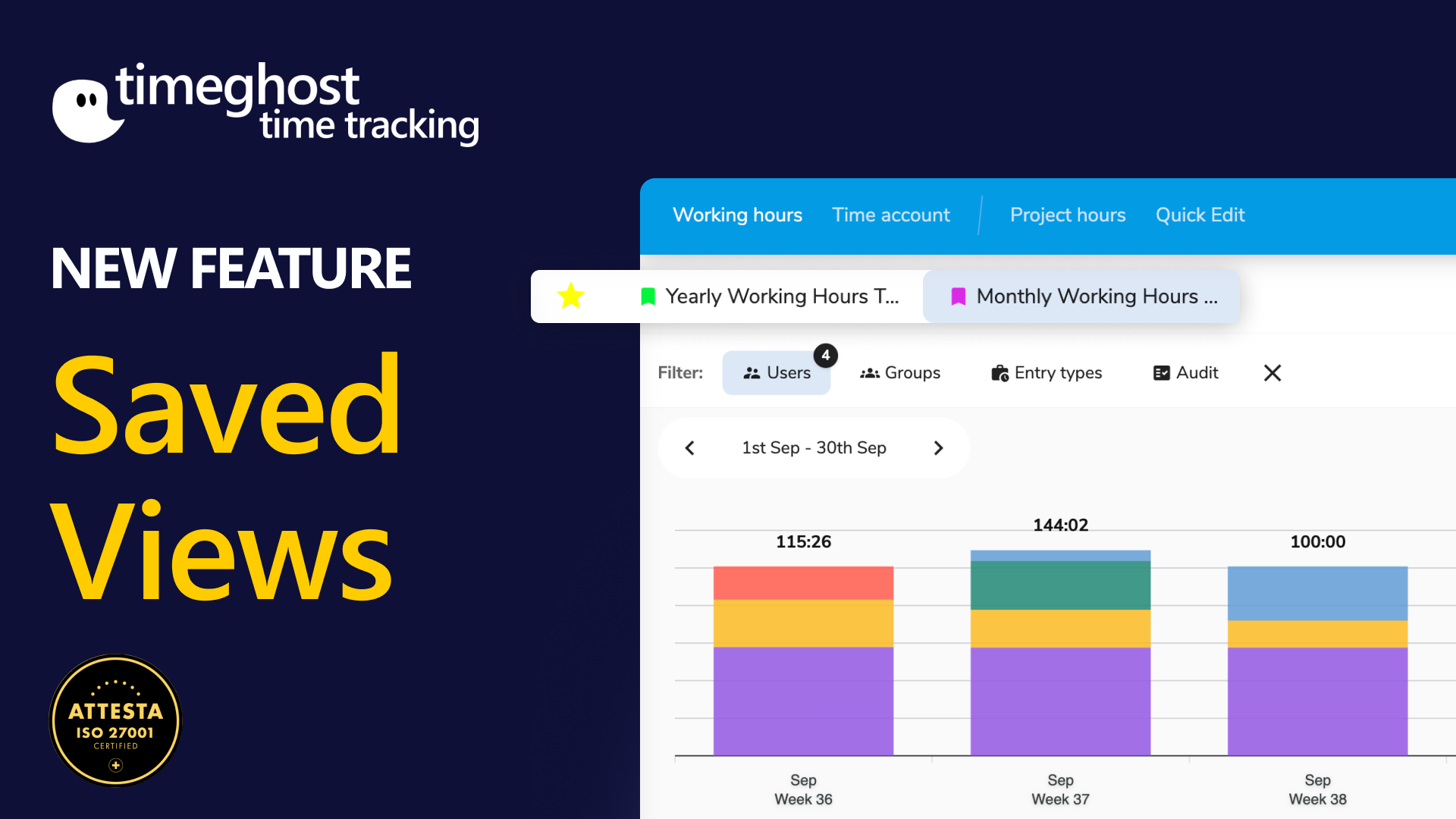
    πŸŽ‰ New in timeghost Time Tracking – Saved Views

    With the new Saved Views, you always have your most important data at your fingertips – no more constantly adjusting filters. That means: fewer clicks, more clarity, and instant results.

    πŸ‘‰ Here’s how to use Saved Views:

    Working hours: Check team working hours for the month or analyze absences for the quarter.

    Project hours: View billable hours per project or generate client reports at the click of a button.

    Time accounts: Quickly access credits/deductions for your teams.

    Save time and bring structure to your evaluations – all with just one click.

    Try it out now – the feature is already live!

    #timeghost #timetracking #microsoftteams #feature
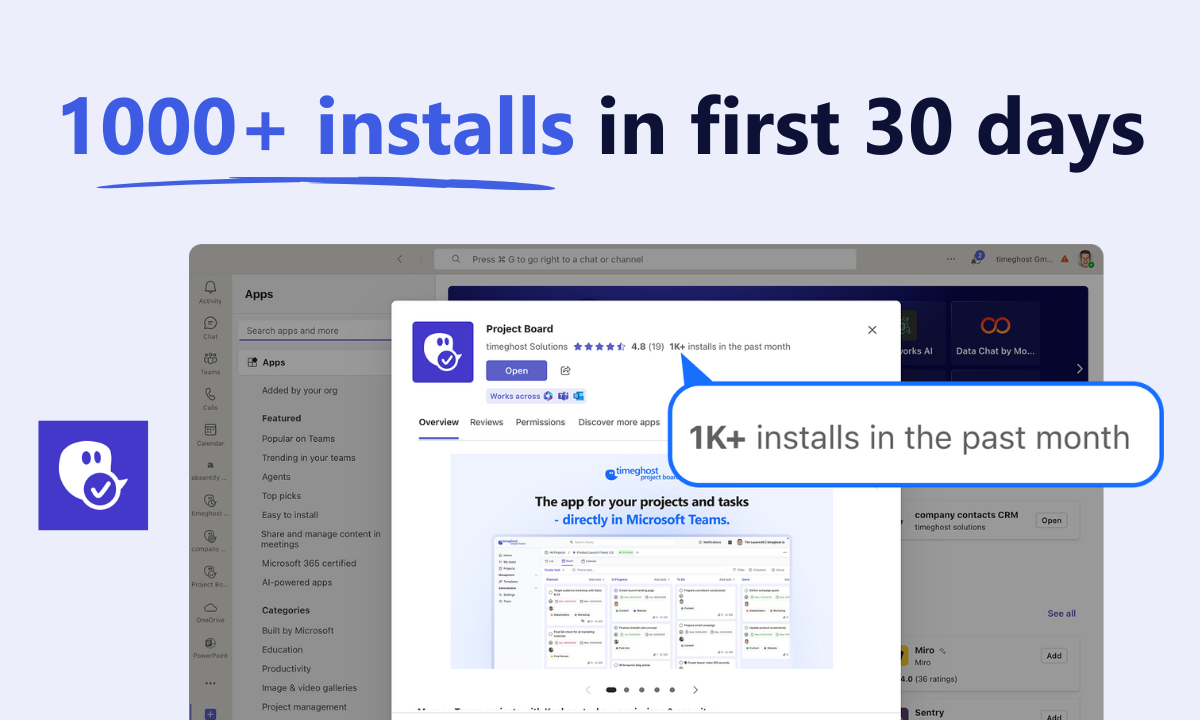
  2. πŸŽ‰ New in the Microsoft Teams Store: The timeghost Project Board

    Announcement
    Admin Announcements

    We are very happy and proud - our fourth app is now available in the Microsoft Teams Store!

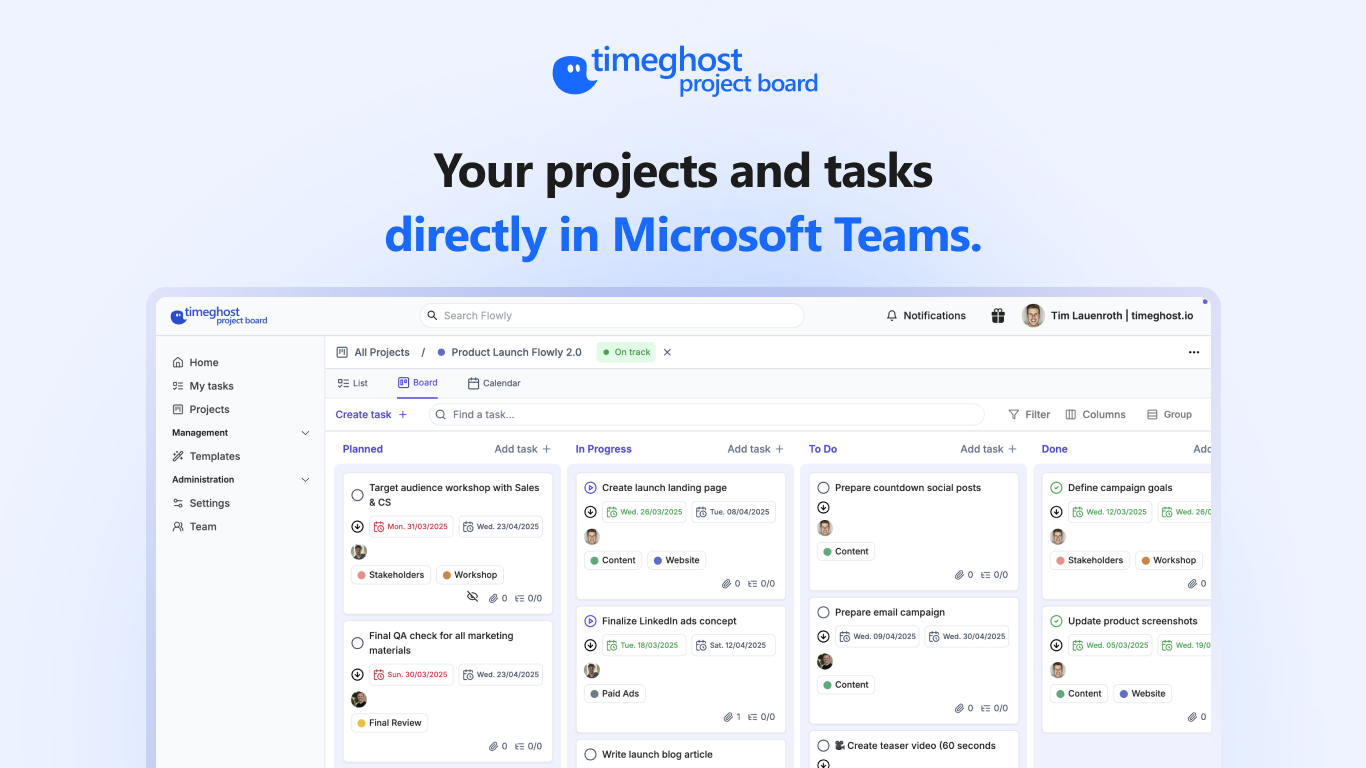
    The timeghost Project Board brings project management where your team already works: directly inside Microsoft Teams – fully integrated, clearly structured, and centrally managed.

    πŸ‘‰ Use it now for free & start directly in your team.

    ⬇️ Download the app from the Microsoft Teams Store

    Feel free to get some more information on our Website!

    1. The app for your projects and tasks - directly in Microsoft Teams.
  3. NEW in timeghost Time Tracking - Leave Types

    Announcement
    New Feature
    Admin Announcements
    EN

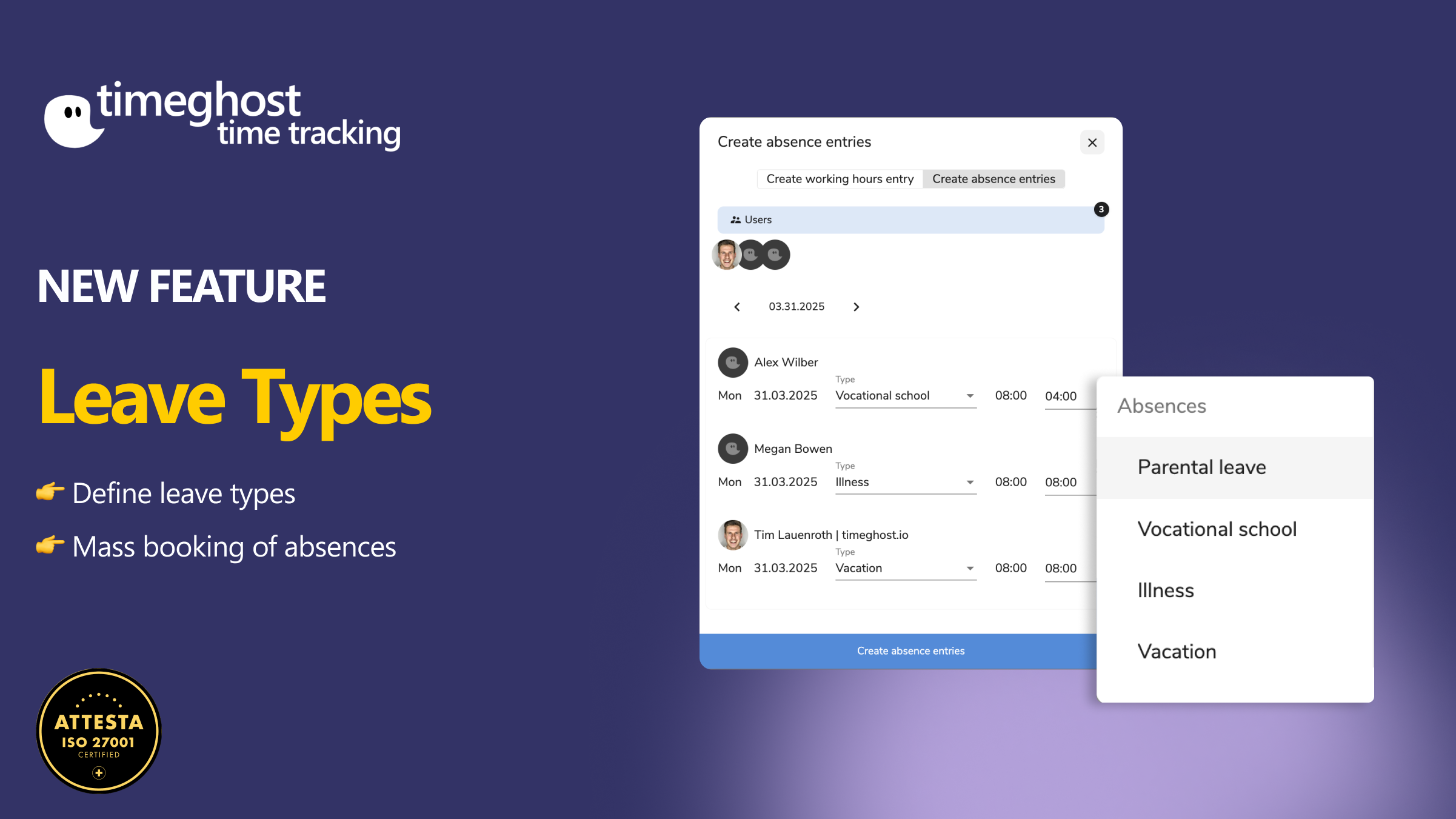
    As of now, you can not only track absences in timeghost Time Tracking – you can also assign them to a specific type.

    Whether it’s vacation, sick leave, parental leave, public holiday, or vocational school – every absence is now clearly traceable.

    What’s new?

    With the new Absence Types feature, you can now specify exactly why someone is absent when entering the time.

    πŸ› οΈ Here’s how it works:

    Create an absence

    πŸ‘‰ Create a time entry in the timer and simply select the person and the appropriate type in the β€œCreate Absence” dialog.

    Also works for multiple people at once

    πŸ‘‰ Select multiple users and assign them a shared absence type.

    Manage absence types yourself

    πŸ‘‰ You can easily manage new types under β€œAbsence Types” in the settings.

    Your benefits at a glance

    βœ” Fewer questions within the team

    βœ” Clearly identifiable reasons for absences

    βœ” Contextualized reporting

    βœ” Consistent documentation

    βœ” Saves time in planning

    Try it out now – the feature is already live!

  4. New in timeghost Time Tracking: Time account! πŸš€

    New Feature
    Announcement
    Admin Announcements
    5

    With the new time account feature you can:

    βœ… View team members' time accounts - depending on their permission

    βœ… Track credits and deductions flexibly

    βœ… Keep an eye on your own plus and minus hours at all times

    Go to the settings and user settings to activate the time account for your team!

    If you have any questions - feel free to contact us πŸŽ‰

  5. Activities, working hours, and rule breaks at a glance – timeghost Time Tracking Supervise πŸš€

    New Feature
    Announcement
    Admin Announcements

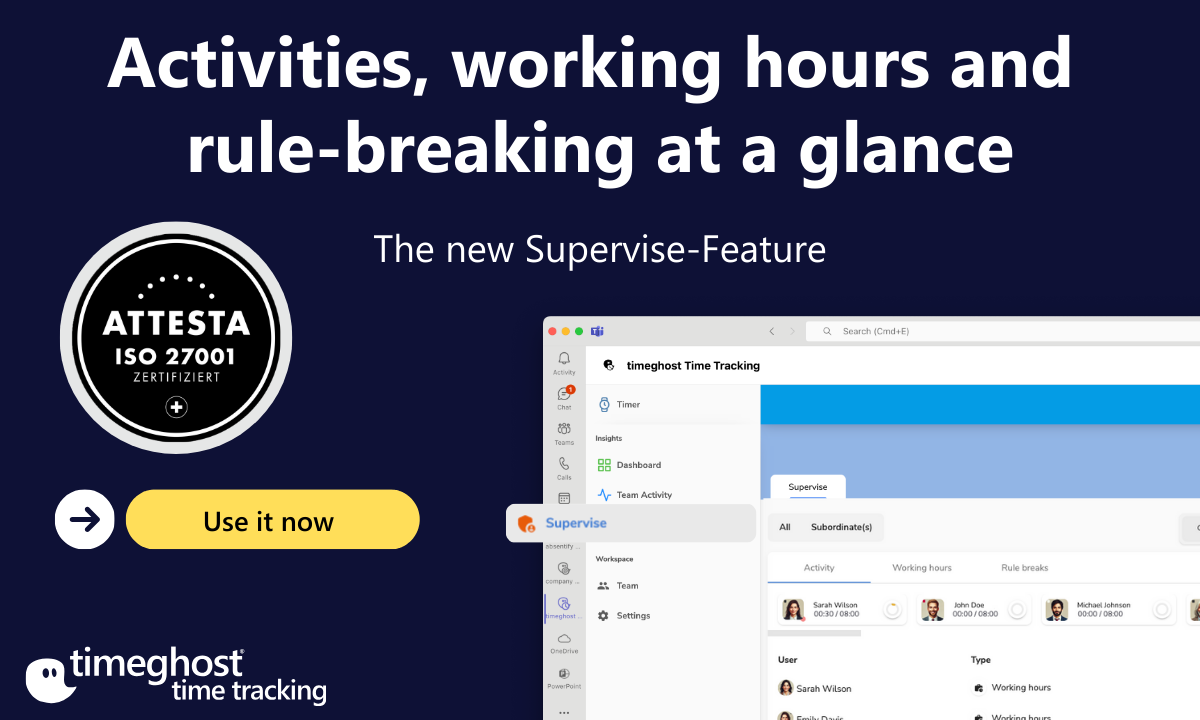
    Do you want to know who is currently working, whether breaks are being observed, and if everything is running in compliance with regulations – without constantly having to ask? Supervise makes it possible!

    Use it now (1200 x 720 px)

    βœ… 100% transparency: See at a glance who is active, taking breaks, or causing rule breaks.

    βœ… Only what matters to you: Hide less relevant tabs – for example, β€œActivities” and β€œWorking Hours” if you only want to focus on rule breaks.

    βœ… Easy delegation: Assign supervisors who can only view and manage the tabs of their own team – without access to the entire workspace.

    πŸš€ Supervise gives you the perfect overview of working hours in your company – simple, flexible, and efficient.

    πŸ‘‰ Try it now and experience the difference!

  6. Video Tutorial for Whiteboard by timeghost πŸŽ₯

    Admin Announcements
    Announcement

    Check out our video tutorial on Whiteboard by timeghost!

    In this tutorial, Brendan will walk you through the core features of Whiteboard, from integrating it to your Microsoft Teams app, calls and meeting to creating visual workflows to organizing tasks and managing your team’s brainstorming sessions more efficiently.

    Let's dive in and see how Whiteboard can transform the way you work! πŸš€

  7. NEW in the Microsoft Teams Store - Whiteboard by timeghost

    Announcement
    Admin Announcements
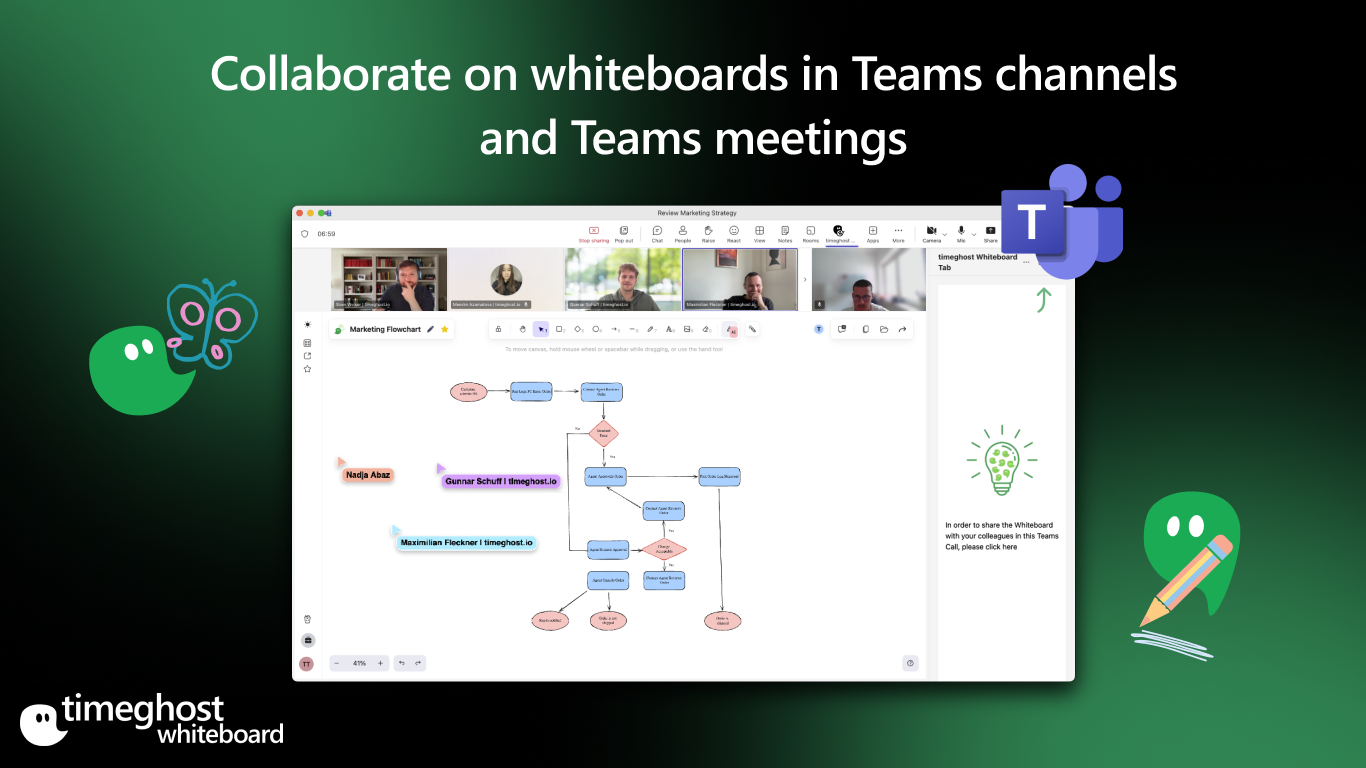
    Collaborate on whiteboards in Teams channels and Teams meetings

    Collaborate on whiteboards in Teams channels and Teams meetings - completely for free!

    The perfect app for collaborative work in Microsoft Teams.

    Here is an overview of the core features:

    πŸ‘‰ Seamless Microsoft Teams integration:

    Work together on projects in real time, directly in your Teams meetings or channels.

    πŸ‘‰ Easy sharing:

    Share whiteboards effortlessly and manage access rights via Microsoft 365

    πŸ‘‰ AI features:

    Automatic creation of flowcharts or texts with OpenAI.

    πŸŽ‰ Download the Whiteboard by timeghost in the Microsoft Teams Store and get started right away - 100% free!

  8. Working hours rules in timeghost time tracking - Now available

    New Feature
    Announcement
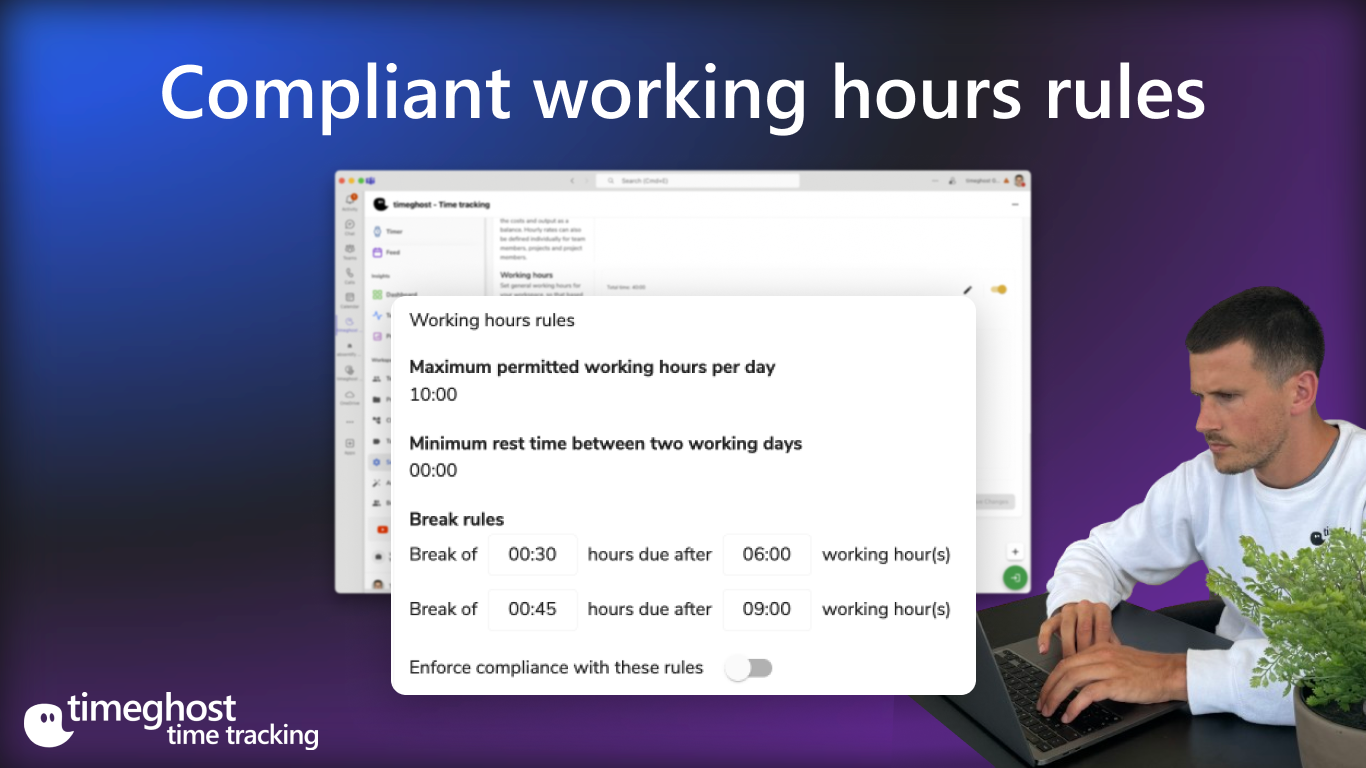
    Compliant working hours rules

    Track your working hours in timeghost time tracking in compliance with legal regulations on working hours and rest/break times.

    Map legal regulations according to EU standards in timeghost:

    • Maximum working hours: 8 hours per day, extendable up to 10 hours.
    • Rest periods and breaks: At least 11 hours of rest between working days.
    • For 6-9 hours working time: At least 30 minutes break.
    • If working more than 9 hours: At least 45 minutes break.

    Use timeghost time tracking to track your working hours and comply with all legal requirements.

    2